Castle Program · Program Administrator Guide
Castle Travel
The oversight side of My Travel Story (MTS) — where you check who's registered for the weekend and look up any student's travel history.
Program Administrators view student travel data — you don't create or edit a plan on a student's behalf. If a student needs a change made for them, that still goes through the student's own account or a direct email exchange.
System Administrators also have a Student Access panel (section 3 below) to manage individual student permissions without a code deployment, and a Persistent Access panel (section 4 below) for dual-role staff/student accounts.
1 Sign in
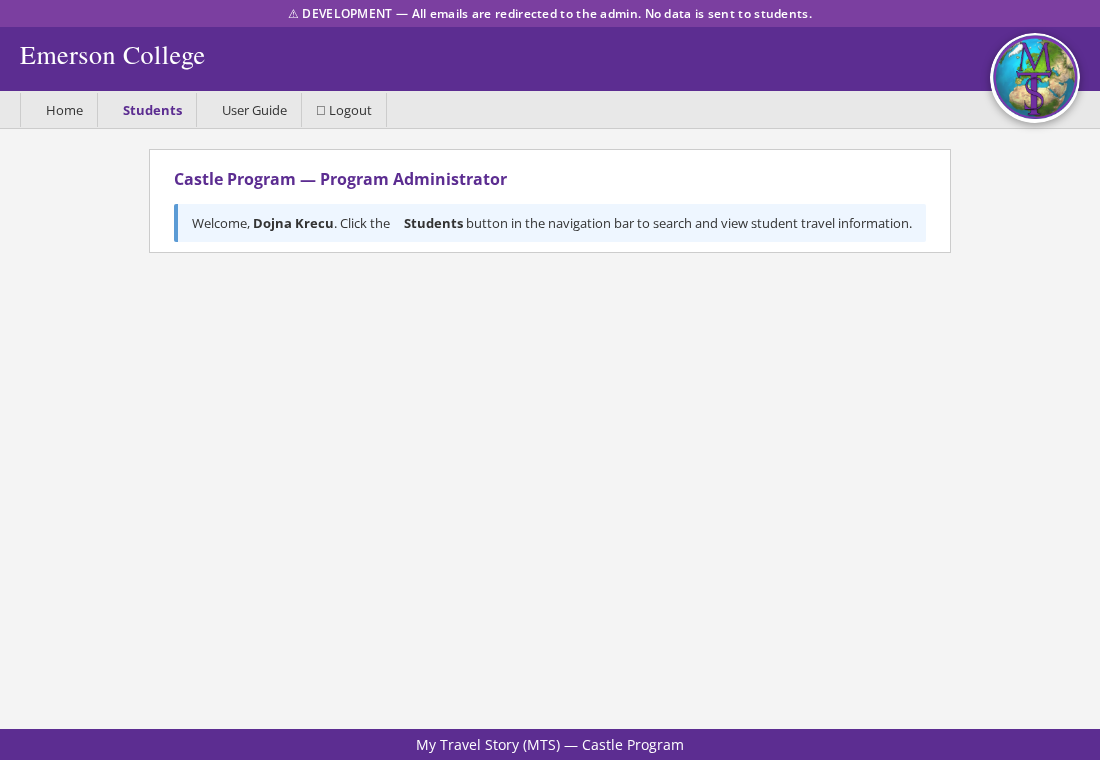
Same sign-in as everyone else — select Sign in with Emerson and go through Duo. The app recognizes your Program Administrator role automatically and shows you a different Home screen from what students see.
Show screenshot
2 Open Students
Click Students in the navigation bar. This opens the Student Travel Viewer, which has two tabs.
This Weekend
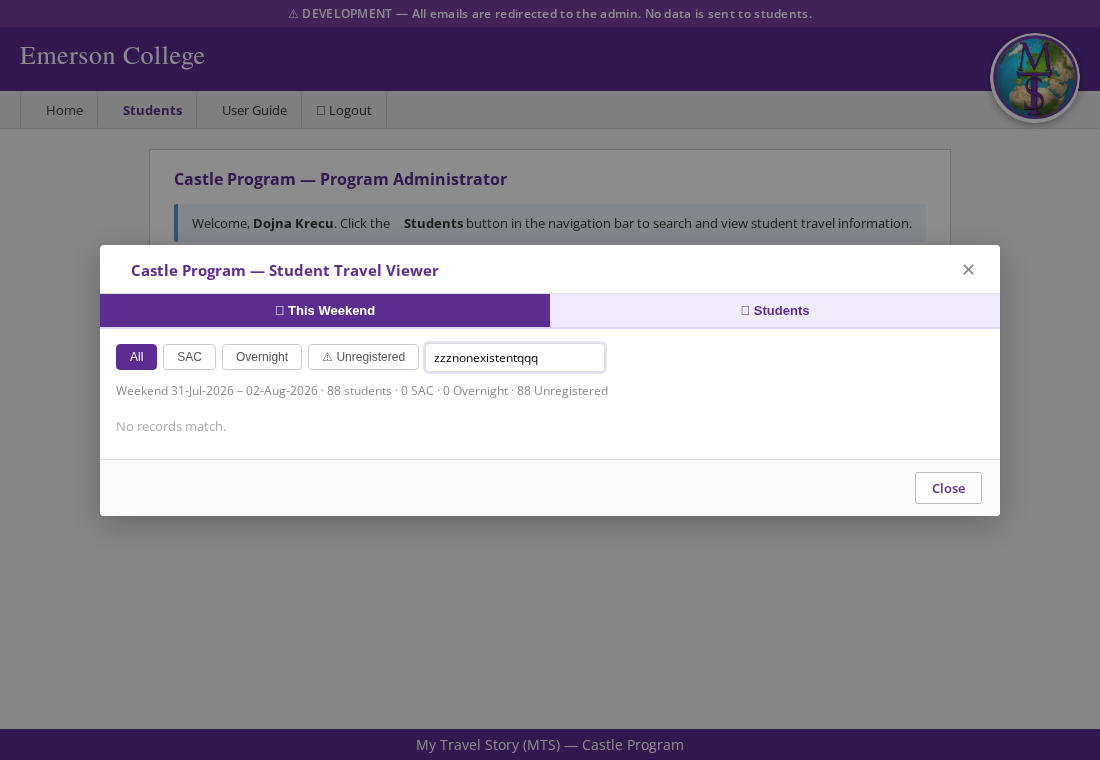
A roster of every student in the program for the current weekend, so you can see who's staying in, who's traveling, and who hasn't registered yet.
A summary line gives you totals at a glance (e.g. "88 students · 12 SAC · 40 Overnight · 36 Unregistered"), and a city filter narrows the list to students traveling to a particular place.
| Column | Shows |
|---|---|
| Name | Last, First |
| E-Number | Emerson ID |
| Emerson email address | |
| Status | SAC, Overnight, or Unregistered for this weekend |
| City | Destination city, if traveling |
Show screenshot
Students
The second tab is a directory of every student in the Castle Travel program, searchable by name, E-number, or email. Click a name to open that student's full travel summary — every current and prior weekend, with the meals they signed up for and every destination they logged.
This is where you'd look something up if a student emails asking whether their plan went through, or if you need their emergency contact details before reaching out.
3 Student Access System Admin only
The Student Access card at the bottom of the Admin page lets a system administrator manage per-student permissions without touching the application code. Changes take effect at next login.
Access columns
| Column | Default | Effect when unchecked |
|---|---|---|
| Allow Email | ✓ on | Student is silently excluded from Tuesday, Wednesday, and weekly notification emails. Useful if a student has opted out or the address is bouncing. |
| Login | ✓ on | Student is redirected to Account Access Restricted on next login attempt. Use this when a student leaves the program mid-semester. Admins are never blocked regardless of this flag. |
| Program Admin | ✗ off | When checked, grants Program Administrator access to this student's account — identical to listing their email in PROGRAM_ADMIN_EMAILS in config.py. This is the preferred way to grant temporary or one-off program-admin access. |
Checkbox changes are saved immediately via an inline PUT request. A brief green flash confirms success; a red alert reverts the checkbox if the save fails. Hovering over a row that is being saved disables all checkboxes in that row until the request completes.
4 Persistent Access System Admin only
Oracle's CTRS_STUDENT table is refreshed each semester and drops anyone no longer actively enrolled. The Persistent Access card handles dual-role people — staff who are also Castle Travel students — who need to keep signing in after that refresh removes their student record.
Capturing and removing access
Enter a person's E-Number and click Capture before the semester-end refresh, while they're still in CTRS_STUDENT. This snapshots their name, email, and Oracle student ID into a separate table the app checks at login — nothing is written to CTRS_STUDENT itself. Because the original Oracle ID is preserved, the person keeps full access (not just the ability to sign in) after their live record disappears.
Click Remove to revoke a captured entry once someone no longer needs the carve-over — for example if their dual role ends.
System-admin access (who can see this panel, Connectors, the Audit Log, etc.) is controlled separately via ADMIN_EMAILS in config.py, and is independent of whether someone is captured here — being a system admin does not by itself add or remove a Persistent Access entry.
5 Notification emails & timezone
All scheduled emails use Kasteel Well, Netherlands time (CET/CEST, Europe/Amsterdam). Deadline times are shown in both Amsterdam and Boston time so students in either location aren't confused.
⚠ This schedule can be turned off per-environment via SCHEDULED_EMAILS_ENABLED in config.py (e.g. DEV/TEST during a UAT pause) without affecting Production. Check the app's startup log for "Scheduled emails disabled" to see if it's currently off in the environment you're looking at.
| When (Amsterdam) | Content | |
|---|---|---|
| Tuesday Reminder | Tuesday 10:00 AM | Individual email to each unregistered student with the Wednesday deadline in Amsterdam and Boston time. |
| Wednesday Countdown | Wednesday 9:30 AM | Urgent blast to still-unregistered students — 30 minutes remain. |
| Wednesday Deadline Report | Wednesday 10:00 AM | Sent to NOTIFICATION_EMAILS. Lists unregistered students (or "all clear"). Includes a meal plan totals table — per-meal-slot headcount for the weekend (Friday Breakfast/Lunch/Dinner, Saturday Brunch/Dinner, Sunday Brunch/Dinner) plus any dietary notes students have entered. Also shows the report-generation time in both Amsterdam and Boston. |
| Weekly Status Report | On-demand | Full SAC/overnight/unregistered breakdown with counts, to admin only. |
? Where things live
| Screen | What it's for |
|---|---|
| Home | Welcome screen — points you to Students in the nav bar. |
| This Weekend | Roster of everyone's status for the current weekend, filterable by plan type and city. |
| Students | Searchable directory; click through to a student's full travel history. |
| Student Access | System admin only — per-student email, login, and program-admin permission checkboxes. |
| Persistent Access | System admin only — capture/remove login access for dual-role staff/student accounts past Oracle's semester-end refresh. |